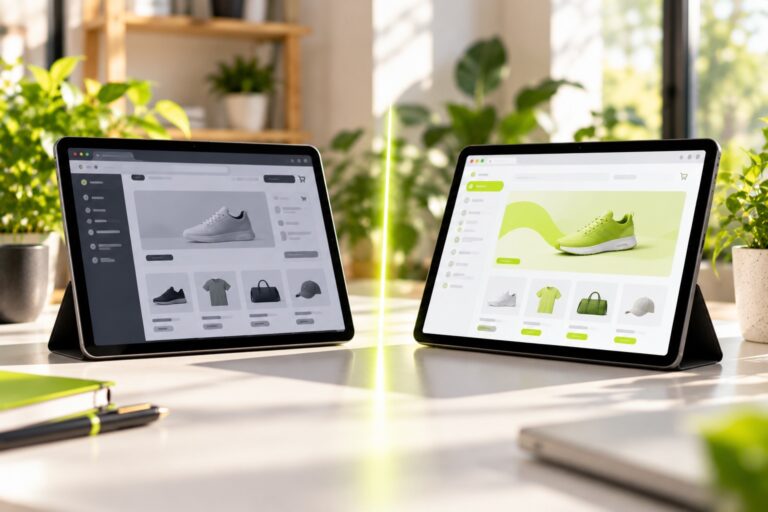
Headless commerce has moved from enterprise buzzword to a real option for growing online stores, but it is not the right move for everyone. This guide explains how headless architecture works in plain words, compares it with a traditional store, lays out the honest pros and cons, and gives you a yes/no readiness scorecard plus the team and budget you would need before committing.
Quick answer: Headless commerce separates your store’s customer-facing frontend from the backend that handles products, carts, orders and payments, connecting them through APIs. It gives you design freedom, multi-channel flexibility and potential speed gains, but it costs more to build and maintain. It suits brands with developer resources and needs a standard theme cannot meet.
On this page
- Key takeaways
- What is headless commerce?
- How does headless commerce work?
- Traditional vs headless commerce: what’s the difference?
- What are the benefits of headless commerce?
- What are the drawbacks of headless commerce?
- Is headless commerce right for your store? Take the readiness scorecard
- What team do you need for headless commerce?
- How much does headless commerce cost?
- What should you do before going headless?
- Frequently asked questions
- Next steps
Key takeaways
- Headless means the “head” (what shoppers see) is built separately from the commerce engine (what runs the business), and the two talk through APIs.
- The main benefits are design control, selling across many channels from one backend, and room for performance optimization.
- The main costs are higher build and maintenance budgets, more technical complexity and features you may need to rebuild.
- Most small and early-stage stores are better served by a well-optimized theme on a hosted platform.
- Use the readiness scorecard below: if you answer “no” to most questions, headless will likely create more problems than it solves today.
What is headless commerce?
Headless commerce is an ecommerce architecture in which the storefront presentation layer is decoupled from the backend commerce platform. The backend manages products, inventory, pricing, carts, checkout and orders, while a separate frontend, built with any technology, displays that data to shoppers.
The name comes from the idea of removing the “head” (the frontend) from the “body” (the commerce engine). In a traditional store, the two come bundled together: you pick a theme, and the platform renders pages for you. In a headless setup, your team builds the pages and simply asks the platform for data whenever it needs it.
How does headless commerce work?
Headless commerce works by having the frontend request data from the commerce backend through APIs (application programming interfaces), then render that data however the business wants.
The architecture in plain words
Think of a restaurant. The kitchen prepares food, tracks stock and handles the bill. The dining room is where guests sit, see the menu and order. In a traditional restaurant, the kitchen and one dining room are built as a single unit. In a headless restaurant, the same kitchen can serve a dining room, a food truck, a delivery app and a pop-up stall, each designed differently, all sending orders to the same kitchen through a standard order window.
In ecommerce terms:
- The kitchen is your commerce backend, such as Shopify, BigCommerce, a WooCommerce installation or an API-first platform built for headless use.
- The order window is the API layer. Shopify, for example, documents a Storefront API for exactly this purpose, and WooCommerce exposes a Store API.
- The dining rooms are your frontends: a website built with a modern JavaScript framework, a mobile app, a smart TV app, an in-store kiosk or even a voice assistant.
A simplified headless stack
Shopper's browser or app
        |
   Frontend (the "head")
   e.g. a React-based framework, hosted on a CDN
        |
   APIs (product data, cart, checkout, customer accounts)
        |
   ----------------------------------------------
   |            |             |                 |
Commerce     Content CMS    Search service    Other services
backend      (blog, pages)  (product search)  (reviews, loyalty, ERP)
In a fully headless build, each box can come from a different vendor. That flexibility is the point, and also the source of most of the complexity.
Where headless sits next to composable and hybrid approaches
Three related terms often get mixed up:
- Headless means only that the frontend is decoupled from the backend.
- Composable commerce goes further: the business assembles its stack from separate best-of-breed services for search, content, payments, promotions and so on, rather than relying on one platform for everything.
- Hybrid or partial headless means keeping the platform’s standard theme for most of the store while running some sections, such as editorial content or a campaign microsite, on a separate frontend.
You may also see the acronym MACH, which stands for microservices, API-first, cloud-native and headless. It describes a philosophy for building composable systems rather than a specific product.
Traditional vs headless commerce: what’s the difference?
The difference is who controls the frontend and how tightly it is tied to the commerce engine. This table summarizes the practical trade-offs.
| Dimension | Traditional (theme-based) store | Headless store |
|---|---|---|
| Frontend | Built from platform themes and templates | Custom-built with any framework |
| Design freedom | Limited by theme and platform rules | Almost unlimited |
| Time to launch | Weeks for a typical store | Months for a typical build |
| Upfront cost | Lower | Significantly higher |
| Ongoing maintenance | Mostly handled by the platform | Your team maintains the frontend and integrations |
| Apps and plugins | Usually plug and play | Many storefront apps need custom integration |
| Multi-channel selling | Possible, but channel-specific | One backend serves many frontends natively |
| Performance | Depends on theme quality and apps | High ceiling, but only if built well |
| Content editing | Built into the platform | Often needs a separate CMS |
| Skills required | Store manager, occasional developer | Ongoing developer team |
If you are still choosing a platform in the first place, our Shopify vs WooCommerce comparison covers the traditional route in depth.
What are the benefits of headless commerce?
The benefits of headless commerce are design freedom, channel flexibility, performance potential and the ability to change parts of the stack without rebuilding everything.
Complete control over the customer experience
With a traditional theme, unusual layouts, interactive product builders or editorial storytelling often require workarounds. Headless removes those limits. Your designers can create exactly the experience they want, and developers can build it without fighting a template engine.
One backend, many storefronts
If you sell through a website, a native app, marketplaces and physical touchpoints, headless lets one product catalog, pricing engine and order system feed all of them. That reduces duplicated data entry and keeps inventory consistent. If you are weighing whether you even need a separate app, see our guide on choosing an app, website or PWA.
Room for performance optimization
A custom frontend can be engineered for speed: pre-rendering pages, serving them from a global CDN and loading only the code each page needs. Done well, this helps you meet Core Web Vitals thresholds consistently. The word “can” matters, though. A poorly built headless site can easily be slower than a well-tuned theme.
Independent upgrades
Because the frontend and backend are separate, you can redesign the storefront without migrating your product data, or switch search providers without touching the checkout. This modularity makes long-term evolution less disruptive.
Easier content and commerce blending
Brands that rely on storytelling, such as lookbooks, guides and video, often pair a headless commerce backend with a dedicated content management system. Editors work in a tool built for content, while product data stays in the commerce platform.
What are the drawbacks of headless commerce?
The drawbacks are cost, complexity, dependence on developers and the loss of some out-of-the-box platform features.
Higher build and running costs
You are paying to build a frontend from scratch, plus hosting it, plus maintaining integrations between several services. That is a different budget category from buying a premium theme.
Features you used to get for free
Traditional platforms include many features in their themes: product reviews widgets, upsell apps, wishlists and analytics snippets that install with a click. In a headless build, many of these need custom work. Before committing, list every app you rely on and check whether it supports headless setups.
Developer dependency
Marketing teams often lose some independence. Changing a page layout or launching a landing page may require a developer unless you invest in a good CMS and reusable components.
SEO and rendering risks
Search engines need to see your content. Google Search Central’s JavaScript SEO guidance explains that pages relying heavily on client-side rendering can create crawling and indexing issues if not handled carefully. Most modern headless frameworks support server-side rendering or static generation, which avoids the problem, but your developers must configure it correctly. Run a technical SEO audit checklist against any headless build before launch.
More moving parts
Every extra service is another contract, another bill, another API that can change, and another thing to monitor. Small teams can find the operational load surprising.
Is headless commerce right for your store? Take the readiness scorecard
Headless commerce is right for your store when your business needs outgrow what a theme can deliver and you have the people and budget to own a custom frontend. Answer each question honestly with yes or no.
| # | Readiness question | Yes / No |
|---|---|---|
| 1 | Have you hit real limits with your current theme that workarounds cannot solve? | |
| 2 | Do you sell, or plan to sell, through several channels (website, app, kiosk, marketplaces) from one catalog? | |
| 3 | Do you have in-house developers or a long-term development partner on retainer? | |
| 4 | Can you fund a build budget well above a premium theme project, plus ongoing maintenance? | |
| 5 | Is your online revenue large enough that a small performance or UX gain is worth a significant investment? | |
| 6 | Do you need content experiences (editorial, interactive tools, configurators) your platform cannot handle well? | |
| 7 | Have you documented every app and integration you rely on, and checked their headless support? | |
| 8 | Do you have someone who can own technical SEO, rendering and site performance? | |
| 9 | Can your marketing team work with a CMS and component library rather than drag-and-drop theme editing? | |
| 10 | Is your product catalog, pricing and operations stable enough that the frontend is now the bottleneck? | |
| 11 | Are you prepared for a build timeline measured in months rather than weeks? | |
| 12 | Do you have clear, measurable goals (conversion, speed, channel expansion) the project must achieve? |
How to read your score
- 9 to 12 yes answers: You are a strong candidate. Start with a discovery phase to define architecture, vendors and success metrics.
- 5 to 8 yes answers: Consider a hybrid approach. Keep your theme for checkout and core pages, and go headless only for the areas that need it, such as content or a campaign experience.
- 0 to 4 yes answers: Headless is probably premature. Invest in a faster theme, better product content and conversion improvements first, and revisit in a year.
A quick reality check: if questions 3 and 4 are “no”, the rest of the score matters less. Without people and budget, headless projects tend to stall or degrade after launch.
What team do you need for headless commerce?
You need a team that can design, build, run and continuously improve a custom frontend and its integrations. Whether these are employees, freelancers or an agency, the roles look like this.
| Role | What they do | In-house or partner? |
|---|---|---|
| Solution architect | Chooses platforms, designs data flows and integrations | Often a partner for the initial build |
| Frontend developers | Build the storefront, components and performance optimizations | Ongoing need, in-house or retained |
| Backend or integration developer | Connects commerce, CMS, search, ERP and other services | Ongoing need |
| UX/UI designer | Designs templates, components and user flows | Project-based, with periodic updates |
| Technical SEO specialist | Ensures rendering, metadata, redirects and structured data work | Critical at launch, then periodic |
| Content editor | Manages pages and stories in the CMS | In-house |
| Product owner | Prioritizes features, owns the roadmap and success metrics | In-house |
| QA and DevOps support | Testing, deployments, monitoring and uptime | Shared or partner |
Smaller brands rarely staff all of these internally. A common pattern is an agency for the build plus one or two in-house developers who take over maintenance.
How much does headless commerce cost?
Headless commerce typically costs several times more than a theme-based store to build and noticeably more to run, because you are funding a custom frontend, extra services and ongoing development. The ranges below are rough planning estimates only; real figures vary widely by region, scope, team model and platform.
| Cost area | What drives it | Rough planning range (USD, varies widely) |
|---|---|---|
| Discovery and architecture | Requirements, vendor selection, technical design | Several thousand to tens of thousands |
| Frontend build | Number of templates, custom features, design complexity | Tens of thousands to several hundred thousand |
| Integrations | CMS, search, reviews, ERP, loyalty, analytics | Varies per integration; can rival the frontend build |
| Platform and service fees | Commerce plan, CMS, search, hosting/CDN | Hundreds to thousands per month |
| Ongoing development | Maintenance, updates, new features | Often a monthly retainer or part of a salary |
For comparison with traditional builds, see our full website cost breakdown. The key difference is that a theme-based store front-loads less cost and offloads much maintenance to the platform, while headless shifts that responsibility to you.
Hidden costs to plan for
- Rebuilding app functionality that no longer works out of the box.
- Training marketers on a new CMS and publishing workflow.
- Monitoring and error tracking across several services.
- Framework and dependency upgrades every year or two.
- Redirect mapping and SEO checks during migration.
What should you do before going headless?
Before going headless, make sure the problem you are solving is really the frontend. Many stores pursue headless for speed or design, when a better theme or cleaner app stack would solve the issue at a fraction of the cost.
Try these first:
- Audit apps and scripts. Third-party scripts are a common cause of slow stores. Removing unused ones can make a big difference.
- Test a premium or custom theme. Modern themes are far more flexible than they were a few years ago.
- Consider platform-native headless tools. Some platforms offer their own frameworks and hosting for headless storefronts. Shopify, for instance, documents its Hydrogen framework and Storefront API, which reduce integration work compared with assembling every piece yourself.
- Pilot a hybrid section. Move a content hub or campaign page to a headless frontend while leaving checkout on the platform. Measure the results before expanding.
- Compare build approaches. Our article on Webflow, WordPress or custom code explains the broader trade-off between flexibility and maintenance.
Protect your search rankings during migration
A headless rebuild is effectively a site migration. URLs, templates and rendering all change at once. Follow a structured checklist to redesign without losing SEO, including a full redirect map, metadata parity checks and post-launch monitoring in Search Console.
Frequently asked questions
What does “headless” mean in ecommerce?
Headless means the storefront that customers see is separated from the commerce engine that manages products, carts, checkout and orders. The two communicate through APIs. This lets businesses build any frontend they want, such as a custom website, app or kiosk, while keeping one central system for commerce operations and data.
Is headless commerce better for SEO?
Not automatically. A headless site can be very fast and well structured, which supports SEO, but poorly configured JavaScript rendering can stop search engines from seeing content. Server-side rendering or static generation, correct metadata, clean URLs and a full redirect plan during migration are essential. The quality of implementation matters more than the architecture itself.
Can small businesses use headless commerce?
They can, but most should not start there. Headless requires ongoing developer support and a larger budget than a theme-based store. Small businesses usually get better returns from a fast theme, strong product content and conversion improvements. Platform-native headless tools have lowered the barrier somewhat, so it becomes realistic once revenue and team size grow.
What is the difference between headless and composable commerce?
Headless refers specifically to separating the frontend from the backend. Composable commerce is a broader approach in which the business assembles its whole stack from independent services, such as separate search, content, payments and promotions tools, connected through APIs. All composable setups are headless, but a headless store can still rely on one platform for most backend functions.
How long does a headless commerce build take?
Timelines depend on scope, integrations and team size, so there is no fixed answer. As a broad guide, a theme-based store can launch in weeks, while a headless build usually takes several months including discovery, design, development, integration, testing and migration. Complex catalogs or many integrations extend that further.
Do I lose apps and plugins if I go headless?
You may lose some. Apps that inject features directly into theme templates often do not work on a custom frontend without extra development. Backend apps that handle operations, such as inventory or fulfillment, usually keep working. List every app you use and check each vendor’s documentation for headless or API support before deciding.